
Low-Cost AI Video Editing Tools in 2026: The Best AI Video Software for Every Creator
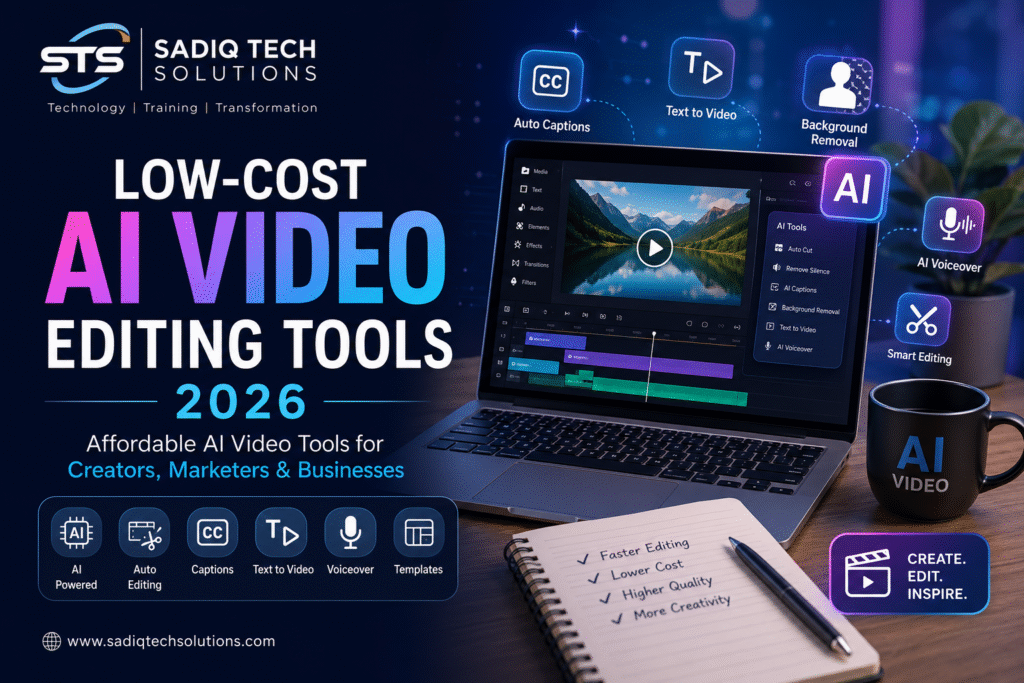
Artificial intelligence is changing the way people create videos. Whether you are a YouTuber, digital marketer, freelancer, student, educator, or small business owner, AI video Editing tools now make editing faster, easier, and much more affordable.
In 2026, you no longer need expensive software or professional editing skills to create engaging content. Modern AI-powered platforms can automatically edit videos, remove backgrounds, generate subtitles, improve audio quality, create social media clips, and even produce complete videos from text prompts.
The biggest advantage is affordability. Many AI video editing tools now offer free plans and budget-friendly subscriptions, making professional-quality video production accessible to everyone.
In this guide, we’ll explore the best low-cost AI video editing tools available in 2026, their features, pricing, advantages, and how to choose the right one.
Why AI Video Editing Tools Is Growing in 2026
The demand for short-form video content continues to increase across YouTube, Instagram, Facebook, LinkedIn, TikTok, and business websites.
Traditional video editing requires:
- Hours of manual work
- Professional editing skills
- Expensive software
- High-performance computers
Today’s AI video tools solve these challenges by automating many editing tasks, allowing creators to focus on storytelling instead of repetitive work.
AI can now:
- Automatically cut silent moments
- Remove filler words
- Generate captions
- Translate videos
- Improve audio
- Add transitions
- Create B-roll suggestions
- Generate scripts
- Create videos from text
- Resize videos for multiple social media platforms
How AI Video Editing Improves Business Marketing
Businesses of every size are using AI video editing tools to create professional marketing content without hiring expensive production teams. AI helps companies produce promotional videos, customer testimonials, product demonstrations, social media advertisements, training videos, and brand awareness campaigns much faster than traditional editing methods.
Small businesses especially benefit from AI because they can maintain a consistent online presence while reducing production costs. Instead of spending days editing a single video, AI automates repetitive tasks like trimming clips, generating subtitles, improving audio, and adding transitions.
With affordable AI video software, businesses can:
- Create product launch videos quickly
- Produce engaging Instagram Reels and YouTube Shorts
- Design professional advertisements
- Generate multilingual marketing videos
- Improve customer engagement through visual storytelling
- Save time and operational costs
As video marketing continues to dominate digital platforms, investing in an AI video editor has become an essential strategy for business growth.
Benefits of Using AI Video Editing Tools
Here are some of the biggest advantages of AI-powered video editing.
1. Saves Time
Editing a 30-minute video manually can take several hours.
An AI video editor can reduce editing time dramatically by automating repetitive tasks.
2. Beginner Friendly
Most AI video platforms are designed for users with little or no editing experience.
Simple drag-and-drop interfaces allow anyone to produce professional-looking videos.
3. Affordable Pricing
Many tools provide:
- Free plans
- Monthly subscriptions
- Pay-as-you-go options
- Student discounts
This makes AI video editing accessible even on a limited budget.
4. Better Content Quality
AI enhances:
- Video stabilization
- Audio clarity
- Background removal
- Caption accuracy
- Scene transitions
- Color correction
5. Increased Productivity
Businesses can produce more content in less time, helping them stay active across multiple platforms.
Top 10 Low-Cost AI Video Editing Tools in 2026
1. CapCut AI
CapCut remains one of the most popular AI video editors for creators.
Features
- AI captions
- Background removal
- Auto cut
- AI voice generation
- Text-to-video
- Social media templates
Best For
- YouTube Shorts
- Instagram Reels
- TikTok
- Beginners
Pricing
- Free version available
- Affordable premium plan
2. InVideo AI
InVideo AI transforms text prompts into complete videos.
Features
- AI script generation
- AI voiceover
- Stock media library
- Automatic editing
- Social media exports
Best For
- Marketing videos
- Promotional videos
- Business presentations
Pricing
Budget-friendly monthly plans.
3. Pictory
Pictory specializes in turning blog posts into engaging videos.
Features
- Blog-to-video
- Automatic captions
- AI summarization
- Branding tools
- Text-based editing
Best For
- Bloggers
- Content marketers
- Educational videos
4. VEED.io
VEED.io offers cloud-based AI video editing with powerful automation.
Features
- AI subtitle generation
- Voice cloning
- Screen recording
- Audio cleanup
- Translation
Best For
- Online businesses
- Remote teams
- Course creators
5. Canva AI Video Editor
Canva has expanded beyond graphic design with strong AI-powered video editing.
Features
- AI Magic Studio
- Video templates
- Background removal
- Text animations
- Brand kit
Best For
- Small businesses
- Marketing teams
- Social media creators
6. Descript
Descript edits videos like editing a Word document.
Features
- AI transcription
- Overdub voice cloning
- Remove filler words
- Screen recording
- Podcast editing
Best For
- Podcasters
- Educators
- Interview videos
7. Adobe Express AI
Adobe Express provides affordable AI editing features without the complexity of Premiere Pro.
Features
- AI background removal
- Quick edits
- Text animations
- Templates
- Branding
Best For
- Small businesses
- Beginners
- Social media marketing
8. Filmora AI
Filmora continues to grow with smart AI Video editing tools.
Features
- AI Smart Cut
- AI Music
- AI Copywriting
- AI Thumbnail Creator
- Motion tracking
Best For
- YouTubers
- Students
- Freelancers
9. Runway ML
Runway is among the most advanced AI video platforms available today.
Features
- Text-to-video
- Video expansion
- Object removal
- AI effects
- Motion tracking
Best For
- Creative professionals
- Advertisements
- AI-generated videos
10. FlexClip
FlexClip is ideal for users who want fast online editing.
Features
- AI image generation
- AI video generator
- Templates
- Screen recording
- Stock library
Best For
- Small businesses
- Marketing agencies
- Educational content
AI Video Editing Tools Trends to Watch in 2026
Artificial intelligence is evolving rapidly, and video editing software is becoming smarter every year. Several exciting trends are shaping the future of AI video creation.
AI Avatars and Virtual Presenters
Many AI video platforms now allow users to generate realistic AI presenters who can explain products, deliver online courses, or present business information without appearing on camera.
Instant Multi-Language Translation
AI can automatically translate spoken content into multiple languages while generating accurate subtitles, making it easier for businesses to reach global audiences.
AI Script Writing
Modern AI tools assist creators by generating complete video scripts based on a topic, keyword, or blog article. This reduces planning time and speeds up content production.
Smart Scene Detection
AI automatically identifies the best scenes, removes unnecessary pauses, and highlights important moments, making editing much faster.
Automatic Brand Customization
Many platforms now apply your company logo, colors, fonts, and branding elements automatically, ensuring consistency across every video.
How to Choose the Right AI Video Editing Tool
Not every AI video platform is suitable for every creator.
Consider these factors before making a choice.
Budget
Choose software that fits your monthly budget while offering the features you need.
Ease of Use
Beginners should prioritize intuitive interfaces and ready-made templates.
AI FeaturesLook for tools that include:
- AI subtitles
- Text-to-video
- Voice generation
- Background removal
- Audio enhancement
Export Quality
Ensure the platform supports HD or 4K exports if high-quality output is important.
Collaboration
If you work with a team, choose software with cloud collaboration and shared workspaces.
AI Video Editing vs Traditional Video Editing
Choosing between traditional editing software and an AI video editor depends on your workflow and experience.
| Feature | AI Video Editing | Traditional Editing |
|---|---|---|
| Editing Speed | Very Fast | Time-Consuming |
| Learning Curve | Beginner Friendly | Advanced Skills Required |
| Automation | High | Low |
| Cost | Affordable | Often Expensive |
| Caption Generation | Automatic | Manual |
| Voice Enhancement | AI Powered | Manual Plugins |
| Social Media Templates | Built-In | Limited |
| Cloud Collaboration | Available | Software Dependent |
Traditional editing software still offers advanced creative control, but AI-powered platforms are ideal for creators who prioritize speed, simplicity, and affordability.
AI Video Editing for Different Users
YouTubers
Recommended tools:
- CapCut
- Filmora
- Descript
Small Businesses
Recommended tools:
- Canva
- VEED.io
- InVideo AI
Digital Marketers
Recommended tools:
- Pictory
- Runway
- Canva
Students
Recommended tools:
- CapCut
- FlexClip
- Canva
Freelancers
Recommended tools:
- Runway
- Descript
- Filmora
How to Get the Best Results from AI Video Tools
Although AI simplifies video production, following a few best practices can significantly improve the quality of your content.
Start with a clear objective before editing. Whether your goal is education, promotion, entertainment, or lead generation, having a structured plan helps AI produce better results.
Use high-quality source footage whenever possible. While AI can enhance videos, starting with clear visuals and clean audio always delivers better outcomes.
Review AI-generated captions carefully. Automatic transcription is highly accurate, but occasional errors should be corrected before publishing.
Maintain consistent branding by adding your logo, brand colors, and fonts to every video. Many AI video platforms allow you to save brand kits for future projects.
Finally, optimize your video for the platform where it will be published. Short vertical videos perform well on Instagram Reels, YouTube Shorts, and TikTok, while horizontal videos remain suitable for YouTube and business websites.
Why Content Creators Prefer AI Video Editors
The creator economy has grown tremendously over the past few years, making video production more competitive than ever. Successful creators publish content consistently, and AI video editing tools help them maintain that consistency.
Instead of spending hours editing every clip manually, creators can focus on researching topics, engaging with audiences, and producing higher-quality content.
Popular creator workflows include:
- Recording long-form videos
- Automatically generating subtitles
- Creating multiple short clips from one video
- Publishing across several social media platforms
- Repurposing blog articles into videos
- Scheduling content in advance
This efficient workflow helps creators grow their online presence while reducing editing time.
Tips for Creating Better AI Videos
Using AI doesn’t guarantee engaging content. Follow these best practices:
- Start with a clear script.
- Keep videos concise and focused.
- Use high-quality visuals and audio.
- Add captions to improve accessibility.
- Maintain consistent branding with logos, colors, and fonts.
- Optimize videos for each platform’s preferred aspect ratio.
- Review AI-generated edits before publishing to ensure accuracy.
Common Mistakes to Avoid
Even with advanced AI video tools, avoid these pitfalls:
- Relying entirely on AI without human review.
- Using too many flashy transitions or effects.
- Ignoring audio quality.
- Publishing videos with incorrect captions.
- Choosing the wrong aspect ratio for the target platform.
- Overloading videos with excessive text.
The Future of AI Video Editing Tools
The future of AI video editing is promising. As AI models improve, creators can expect:
- Real-time editing assistance.
- Better multilingual voiceovers.
- More realistic AI avatars.
- Automatic scene generation from simple prompts.
- Smarter storytelling suggestions.
- Personalized content recommendations.
- Enhanced collaboration features for remote teams.
These advancements will make video production even faster and more accessible for businesses and creators of all sizes.
Final Thoughts
Artificial intelligence is transforming the video production industry, making professional editing accessible to everyone. Whether you are a beginner creating your first YouTube video or a business producing marketing campaigns, today’s AI video tools provide impressive automation at affordable prices.
By choosing the right software, maintaining high-quality source content, and following best practices, you can produce engaging videos faster than ever before. As AI technology continues to advance throughout 2026 and beyond, creators who embrace these tools will enjoy increased productivity, reduced costs, and stronger audience engagement.
If you’re looking to stay ahead in digital content creation, investing in an AI video editing platform is one of the smartest decisions you can make this year.
Frequently Asked Questions (FAQs)
What is AI video editing?
AI video editing tools uses artificial intelligence to automate tasks such as cutting clips, generating captions, enhancing audio, removing backgrounds, and creating videos from text prompts.
Which is the best free AI video editor?
CapCut and Canva offer excellent free plans with a wide range of AI-powered editing features for beginners and professionals.
Can AI create videos from text?
Yes. Tools like InVideo AI, Runway, and Pictory can generate complete videos from text prompts or written scripts.
Is AI video editing suitable for businesses?
Absolutely. Businesses use AI video editing tools to create product demos, social media content, advertisements, tutorials, and training materials quickly and cost-effectively.
Do AI video editors support 4K exports?
Many premium plans from platforms such as Filmora, Runway, and Adobe Express support high-resolution, including 4K, exports.
Are AI video tools worth paying for?
For creators who publish content regularly, paid plans often provide faster rendering, watermark-free exports, advanced AI features, and higher-quality output, making them a worthwhile investment.
Conclusion
The rise of AI video editing tools has transformed content creation in 2026. Whether you’re a solo creator, educator, marketer, or small business owner, affordable AI-powered platforms can help you produce professional-quality videos in a fraction of the time required by traditional editing methods.
From beginner-friendly options like CapCut and Canva to advanced solutions such as Runway and Descript, there is an AI video editor to match every budget and skill level. Focus on selecting a tool that aligns with your workflow, offers the AI features you need, and supports your preferred publishing platforms.
As AI technology continues to evolve, creators who embrace these tools will be able to produce more engaging content, reach wider audiences, and stay competitive in the fast-moving digital landscape. Investing in the right AI video editing tool solution today can save time, reduce costs, and improve the quality of your video content for years to come.
Ready to Start Your IT Career Journey?
Enroll for IT Career Courses Coding & Non-coding & Internship Program Today
→ https://sadiqtechsolutions.com/
For IT Career Courses Coding & Non-coding & e-Books this is the best site
→ https://topitcourses.com/
If you need IT Resume Templates for Free then Download Free Resumes here
→ https://topitcourses.com/free-resumes-download/
Read More Related Posts
How to Become a Generative AI Expert and Get a Job in 2026
→ https://sadiqtechsolutions.com/how-to-become-generative-ai-expert/
Edge AI vs Cloud AI: Which Should Your Business Use in 2026?
→ https://topitcourses.com/edge-ai-vs-cloud-ai-2026/
AI Impact on IT Jobs
→https://sadiqtechsolutions.com/ai-impact-on-it-jobs/
AI Automation Engineer Skills Required & Roadmap
→ https://sadiqtechsolutions.com/ai-automation-engineer-skills/
What is a Sailpoint Developer?
→https://topitcourses.com/what-is-sailpoint-developer-complete-guide/
Java Full Stack Developer Career Guide 2026
→ https://sadiqtechsolutions.com/java-full-stack-developer-career-guide-2026-salary-skills/
How to become a Prompt Engineer in 2026
→ https://sadiqtechsolutions.com/prompt-engineering-in-2026-skills-career-guide/
How to Get Your First IT Job With No Experience: A Practical Guide
→ https://sadiqtechsolutions.com/first-it-job-with-no-experience/
Data Analyst vs Data Scientist: Key Differences Explained
→ https://topitcourses.com/data-analyst-vs-data-scientist-key-differences/
Thankyou