
AI Tools for Creative Design in 2026: The Complete Guide for Designers, Businesses & Students
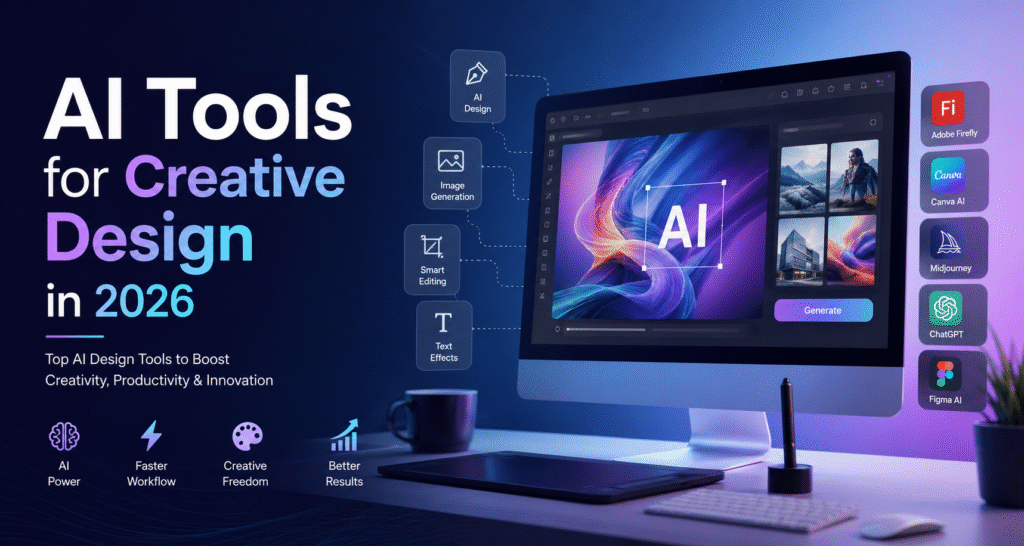
Artificial Intelligence has completely transformed the creative industry. From designing logos and social media posts to creating illustrations, presentations, videos, and website mockups, AI tools for creative design have become an essential part of every designer’s workflow.
In 2026, designers are no longer spending hours creating repetitive elements manually. AI helps generate ideas, automate tedious tasks, improve creativity, and significantly reduce project completion time.
Whether you’re a beginner, professional graphic designer, digital marketer, content creator, freelancer, or business owner, learning to use AI tools for creative design can give you a competitive advantage.
In this comprehensive guide, we’ll explore the best AI tools for creative design, their features, benefits, use cases, and why they’re shaping the future of design.
Top 15 AI Tools for Creative Design in 2026
1. Adobe Firefly
Adobe Firefly continues to dominate AI-powered graphic design.
Features
- Text-to-image generation
- AI image editing
- Generative Fill
- Background replacement
- AI text effects
- Commercially safe content
Best For:
- Graphic Designers
- Marketing Agencies
- Branding Experts
2. Canva AI
Canva AI has become one of the easiest AI tools for creative design for beginners.
Features
- Magic Design
- AI Presentation Generator
- AI Image Generator
- Magic Resize
- Background Remover
- Brand Kit
Best For:
- Small Businesses
- Students
- Social Media Managers
3. Midjourney
Midjourney produces stunning artistic visuals from simple prompts.
Popular Uses:
- Fantasy artwork
- Posters
- Book covers
- Game assets
- Product concepts
4. ChatGPT
ChatGPT helps designers by generating:
- Design ideas
- Marketing copy
- Website layouts
- UX content
- Brand slogans
- Creative prompts
It also helps create structured workflows for creative projects.
5. Figma AI
Figma AI improves UI/UX design through automation.
Features include:
- Auto layout suggestions
- Wireframe generation
- Component creation
- Design optimization
- Smart prototyping
Perfect for:
- UI Designers
- UX Researchers
- Product Teams
6. Microsoft Designer
Microsoft Designer uses AI to create:
- Posters
- Flyers
- Social media creatives
- Invitations
- Business graphics
Ideal for quick marketing content.
7. Leonardo AI
Leonardo AI specializes in generating highly detailed creative artwork.
Excellent for:
- Gaming
- Animation
- Character design
- Concept art
- Product visualization
8. DALL·E
DALL·E creates realistic and artistic images from text prompts.
It supports:
- Product images
- Marketing visuals
- Illustrations
- Advertising concepts
9. Runway ML
Runway ML is one of the best AI tools for video creators.
Features include:
- AI video editing
- Motion tracking
- Object removal
- Video generation
- Green screen removal
10. Ideogram
Ideogram excels at generating images with readable text.
Best for:
- Logos
- Typography
- Posters
- Social media graphics
11. Pixlr AI
Pixlr AI provides browser-based image editing with AI enhancements.
Features:
- AI object removal
- Image enhancement
- Background removal
- AI generation
12. Looka
Looka creates professional logos using AI.
Businesses can generate:
- Logos
- Brand colors
- Business cards
- Brand guidelines
13. Visme AI
Visme AI is widely used for presentations and infographics.
Perfect for:
- Corporate presentations
- Reports
- Educational content
14. Uizard
Uizard converts ideas into UI mockups instantly.
Suitable for:
- Startups
- App designers
- Website developers
15. Krea AI
Krea AI offers real-time image generation and enhancement.
Popular among:
- Artists
- Designers
- Creative agencies
Benefits of Using AI Tools for Creative Design
Using AI tools for creative design offers numerous advantages.
Benefits of Using AI Tools for Creative Design
Using AI tools for creative design offers numerous advantages.
1. Save Time
AI automates repetitive design tasks, allowing professionals to finish projects faster.
2. Improve Creativity
AI generates multiple design variations, inspiring fresh creative ideas.
3. Cost Effective
Businesses reduce design costs by automating routine work.
4. Easy for Beginners
No advanced design skills are required to create professional visuals.
5. Better Productivity
Designers can focus on strategy while AI handles repetitive tasks.
6. Faster Content Creation
Marketing teams can create hundreds of graphics within hours.
7. Consistent Branding
AI maintains brand colors, fonts, and layouts across projects.
Industries Using AI Tools for Creative Design
Today, almost every industry uses AI tools for creative design, including:
- Digital Marketing
- Graphic Design
- Web Development
- UI/UX Design
- Education
- Healthcare
- Real Estate
- E-commerce
- Fashion
- Gaming
- Advertising
- Corporate Branding
How Businesses Benefit from AI Design Tools
Modern businesses rely on AI to produce marketing assets quickly.
Examples include:
- Social media graphics
- Product advertisements
- Website banners
- Landing pages
- Email templates
- Infographics
- Product packaging
- Brochures
This helps companies maintain a strong online presence while reducing turnaround times.
AI Tools vs Traditional Design Software
| AI Tools for Creative Design | Traditional Design Software |
|---|---|
| Faster workflow | Manual process |
| AI suggestions | Designer creates everything |
| Automated editing | Time-consuming editing |
| Beginner-friendly | Requires experience |
| Quick idea generation | Brainstorming takes longer |
| Lower production cost | Higher labor cost |
Tips to Get Better Results from AI Tools for Creative Design
To maximize the value of AI tools for creative design, follow these best practices:
- Write clear and detailed prompts.
- Use brand colors and fonts consistently.
- Generate multiple versions before selecting a final design.
- Edit AI-generated outputs manually for a unique touch.
- Combine AI with your own creativity rather than relying on automation alone.
- Stay updated as AI tools frequently introduce new features.
Challenges of AI Tools for Creative Design
Although AI has many benefits, it also has limitations:
- AI-generated content may require human editing.
- Some outputs can look generic if prompts are too vague.
- Premium features often require paid subscriptions.
- Copyright and licensing rules vary by platform.
- Human creativity is still essential for branding and storytelling.
The best results usually come from combining AI with human expertise.
Future of AI Tools for Creative Design
The future of AI tools for creative design looks incredibly promising. Emerging trends include:
- Real-time collaborative AI design.
- AI-generated 3D models and product prototypes.
- Voice-to-design interfaces.
- Personalized brand asset generation.
- Smarter design assistants that learn user preferences.
- AI-powered animation and video creation.
- Integration with AR and VR experiences.
As AI continues to evolve, designers who embrace these technologies will be better equipped to deliver faster, more innovative, and highly customized creative solutions.
How AI Tools for Creative Design Improve Productivity
One of the biggest advantages of AI tools for creative design is their ability to improve productivity without compromising quality. Designers often spend hours performing repetitive tasks such as resizing images, removing backgrounds, selecting color palettes, and adjusting layouts. AI automates these processes, allowing professionals to focus on creativity and strategy.
For businesses, this means marketing campaigns can be launched faster. A social media manager can create multiple platform-specific graphics in minutes instead of hours. Freelancers can complete more client projects within the same timeframe, increasing their earning potential. Students and beginners also benefit because AI reduces the learning curve, enabling them to produce polished work even with limited design experience.
As organizations continue adopting digital transformation, AI tools for creative design are becoming essential for improving workflow efficiency and delivering high-quality visual content at scale.
How to Choose the Right AI Tool for Creative Design
With hundreds of AI-powered applications available, selecting the right solution can feel overwhelming. Before choosing among various AI tools for creative design, consider your specific goals and workflow.
If you focus on graphic design, platforms like Adobe Firefly and Canva AI offer comprehensive image editing and design generation features. UI/UX designers may prefer Figma AI or Uizard for wireframing and prototyping. Content creators who produce videos can benefit from Runway ML, while branding professionals often rely on Looka for logo creation.
When evaluating a tool, consider factors such as ease of use, pricing, collaboration features, export quality, integration with existing software, commercial licensing, and customer support. Choosing the right AI tool can significantly improve both productivity and creative output.
Best Practices for Using AI Tools for Creative Design
Although AI simplifies many design tasks, following best practices helps achieve more professional results.
Start by writing clear and descriptive prompts. The more detailed your instructions, the better the AI understands your creative vision. Include information about colors, lighting, style, audience, and purpose.
Review AI-generated designs carefully before publishing. Minor adjustments to typography, spacing, branding, or image composition can make a significant difference. Maintain consistency across projects by using the same brand colors, fonts, and messaging.
Most importantly, treat AI as a creative assistant rather than a replacement for human imagination. Combining your expertise with AI tools for creative design leads to more original and impactful designs.
Common Mistakes to Avoid When Using AI Design Tools
Many beginners expect AI to create perfect designs instantly, but there are common mistakes that can reduce quality.
Some users rely on vague prompts, resulting in generic or inaccurate outputs. Others skip editing and publish AI-generated content without reviewing it, which may lead to inconsistencies or branding issues. Ignoring copyright and licensing terms can also create legal challenges, especially for commercial projects.
Another common mistake is using AI-generated visuals without considering accessibility. Ensure text remains readable, colors provide sufficient contrast, and layouts are user-friendly across devices.
Avoiding these pitfalls helps you get the most value from AI tools for creative design while maintaining professional standards.
Why Learn AI Tools for Creative Design?
Learning AI tools for creative design is valuable for:
- Graphic Designers
- UI/UX Designers
- Digital Marketers
- Content Creators
- Freelancers
- Students
- Entrepreneurs
- Advertising Professionals
- Social Media Managers
- Small Business Owners
These skills can improve productivity, expand career opportunities, and help professionals stay competitive in a rapidly changing creative industry.
Career Opportunities After Learning AI Tools for Creative Design
Learning AI tools for creative design opens doors to numerous career opportunities across industries.
Professionals with AI design skills are in high demand for roles such as:
- AI Graphic Designer
- Creative Designer
- UI Designer
- UX Designer
- Visual Content Creator
- Brand Designer
- Digital Marketing Executive
- Social Media Designer
- Motion Graphics Designer
- Presentation Designer
- Product Designer
- Freelance AI Designer
Companies increasingly seek individuals who can combine creativity with AI-powered workflows to produce high-quality content efficiently.
Why Businesses Are Investing in AI Design Solutions
Businesses of all sizes are investing in AI tools for creative design because they help reduce costs, increase speed, and maintain consistent branding.
Instead of outsourcing every design task, organizations can quickly create banners, advertisements, brochures, presentations, social media posts, product mockups, and promotional materials in-house. AI also helps marketing teams generate multiple versions of creatives for A/B testing, improving campaign performance.
Small businesses, startups, and entrepreneurs particularly benefit because AI enables them to compete with larger organizations while working with limited budgets.
Final Thoughts
The future of creativity is no longer about choosing between humans and technology—it’s about combining the strengths of both. AI tools for creative design empower designers to work faster, explore more ideas, and produce visually engaging content with greater efficiency.
As AI technology continues to evolve in 2026 and beyond, professionals who embrace these tools will have a clear advantage in the job market. Whether you’re designing logos, websites, mobile apps, presentations, marketing campaigns, or digital artwork, mastering AI tools for creative design will help you stay ahead of industry trends and deliver exceptional results.
By choosing the right AI platforms, writing effective prompts, and refining AI-generated outputs with your own creativity, you can unlock new possibilities and create designs that are innovative, impactful, and memorable.
Frequently Asked Questions (FAQs)
What are AI tools for creative design?
AI tools for creative design are software applications that use artificial intelligence to generate, edit, and enhance visual content, helping users create professional designs more efficiently.
Which is the best AI tool for creative design?
Popular options include Adobe Firefly, Canva AI, Midjourney, ChatGPT, Figma AI, Microsoft Designer, Leonardo AI, DALL·E, Runway ML, and Ideogram. The best choice depends on your specific design needs.
Can beginners use AI design tools?
Yes. Many AI design tools are beginner-friendly and require little or no prior design experience, making them accessible to students, entrepreneurs, and small business owners.
Are AI-generated designs copyright-free?
Copyright and commercial usage rights depend on the platform. Always review the licensing terms of the specific AI tool you use before publishing or selling AI-generated content.
Will AI replace graphic designers?
AI is more likely to enhance designers’ productivity rather than replace them. Human creativity, strategic thinking, and brand understanding remain essential for high-quality design work.
Conclusion
AI tools for creative design are redefining how visual content is created in 2026. From generating concepts and editing images to building presentations, videos, and user interfaces, AI empowers creators to work faster without sacrificing quality.
Whether you’re a designer looking to streamline your workflow, a business aiming to produce marketing assets efficiently, or a student exploring creative careers, adopting the right AI tools can help you stay ahead in an increasingly competitive digital landscape. By combining AI capabilities with human creativity, you can produce engaging, professional, and original designs that stand out.
Ready to Start Your IT Career Journey?
Enroll for IT Career Courses Coding & Non-coding & Internship Program Today
→ https://sadiqtechsolutions.com/
For IT Career Courses Coding & Non-coding & e-Books this is the best site
→ https://topitcourses.com/
If you need IT Resume Templates for Free then Download Free Resumes here
→ https://topitcourses.com/free-resumes-download/
Read More Related Posts
How to Become a Generative AI Expert and Get a Job in 2026
→ https://sadiqtechsolutions.com/how-to-become-generative-ai-expert/
Edge AI vs Cloud AI: Which Should Your Business Use in 2026?
→ https://topitcourses.com/edge-ai-vs-cloud-ai-2026/
AI Impact on IT Jobs
→https://sadiqtechsolutions.com/ai-impact-on-it-jobs/
AI Automation Engineer Skills Required & Roadmap
→ https://sadiqtechsolutions.com/ai-automation-engineer-skills/
What is a Sailpoint Developer?
→https://topitcourses.com/what-is-sailpoint-developer-complete-guide/
Java Full Stack Developer Career Guide 2026
→ https://sadiqtechsolutions.com/java-full-stack-developer-career-guide-2026-salary-skills/
How to become a Prompt Engineer in 2026
→ https://sadiqtechsolutions.com/prompt-engineering-in-2026-skills-career-guide/
How to Get Your First IT Job With No Experience: A Practical Guide
→ https://sadiqtechsolutions.com/first-it-job-with-no-experience/
Data Analyst vs Data Scientist: Key Differences Explained
→ https://topitcourses.com/data-analyst-vs-data-scientist-key-differences/
Thankyou